(a collection of thoughts, some only loosely related to FocusTrack!)
Cameras, Olympics And All That!
5th August 2016 - Rob
For a FocusTrack photo shoot, one camera is usually enough.
Sometimes, one camera is just not enough - like in Rio, right now!
And best wishes to everyone out there right now poised and ready to give us the Opening Ceremony!
New Tracks - FocusTrack 2.376, SpotTrack 1.46
22nd April 2016 - Rob
There are new versions of both FocusTrack and SpotTrack available now.
The FocusTrack update allows FocusTrack to bring the ‘Cue Info’ field from the grandMA2 into FocusTrack’s Cue List, after the lovely people at The House of Dancing Water in Macau pointed out that it didn’t. Sorry about that. Fixed now. It also fixes an issue with importing grandMA2 patch addresses that had cropped up with recent gMA2 software releases.
The SpotTrack fixes some slowdowns that had cropped up recently, related to the ‘level tracking’ lines option that displays a bar through a cue sheet whenever a particular spot is on. That option has been in SpotTrack for a while, but for some reason it suddenly seemed to be causing massive slowdowns on the current version of MacOS, El Capitan. Some ‘under the hood’ optimisation has been carried out to make this problem. go away, and performance is much better as a result.
At the same time, we’ve added a third charity choice to SpotTrack: you can now opt for it to support Behind The Scenes in the US or Light Relief in the UK as always, but also Behind The Scenes in the UK.
Both updates are available via the websites as usual.
Download FocusTrack »
Download SpotTrack »
Farewell, Billy London
10th April 2016 - Rob
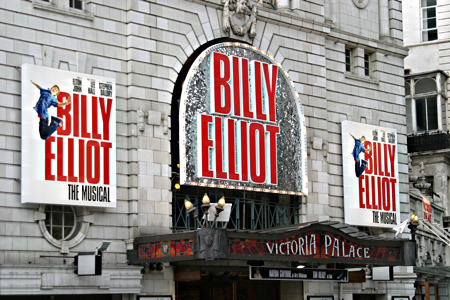
So farewell, then, to Billy Elliot London, which finished its run at the Victoria Palace Theatre on April 9th after almost eleven years and around 4600 performances. That’s quite a run. It’s hard to believe that ten years have flown by so quickly. By the sounds of it, the show got the wonderful send-off it fully deserved at it’s final performance.
It’s also prompted a memory that Billy was an early adopter of FocusTrack, putting it to use to document Rick Fisher’s lighting for the London production, and then to transfer information about the show to subsequent productions in Australia, New York, touring around the US, in Korea and in Holland. The show was also an early adopter of our followspot management software SpotTrack, which has also since been used on the show’s many productions.
The show hasn’t vanished, of course: it’s now out on tour around the UK, FocusTrack once again providing the precise record of the show’s lighting allowing it to be re-created at every venue it visits.
Now, if Billy is eleven years old and FocusTrack was around before Billy, that somehow means that FocusTrack is also more than a decade old. More thoughts on that soon...
New Version - 2.371
7th February 2016 - Rob
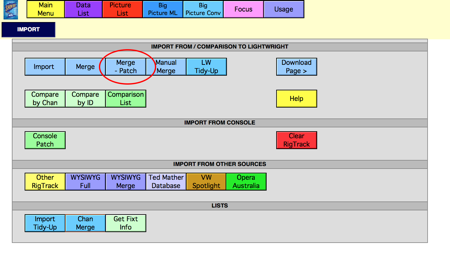
There’s a new version of FocusTrack on the website now - 2.371.
As usual, it can be downloaded here, and full details of the changes can be found here. But, to summarise, the main change is a new option that allows show data to be imported from Lightwright into RigTrack while preserving the information (particularly the patch information) that FocusTrack has already brought in from the console, and so which is likely to be more accurate than the information in LW since it’s what the console is actually using to drive the rig.
You’ve actually always been able to do this in RigTrack, by using the ‘Manual Merge’ option and choosing which information from LW you did or didn’t want to import. The new option just makes it quicker and easier to do this common task that you do during production while working with electricians still using Lightwright.
Remember, you can just keep, and manage, all of the information about your rig in RigTrack, with the advantage that you can quickly update its patch information from the console rather than having to manage keeping information up-to-date in multiple places. And if you are working in a mixed RigTrack/Lightwright environment, don’t forget you can use RigTrack’s powerful ‘Compare to Lightwright’ functions to quickly identify where a Lightwright file is out of sync with a RigTrack file (and, since much of the data in RigTrack has come from the console, so likely out of sync with the showfile and so the actual rig).
All of these options are under RigTrack’s Import menu. If you haven’t discovered them yet, take a look...
Quirky New Settings
17th November 2015 - Rob
It’s frustrating when things stop working... believe me, it’s much more so when it’s your own product that stops working when you’re trying to use it on a show!
But it’s frustrating and weird when things only stop working sometimes!
This was the case on a show recently when using FocusTrack to control an Eos to turn on lights in focuses to be photographed - a think I’ve done many times before, and had tested - and had actually had to fix, to deal with the new keyboard shortcuts introduced with Eos v2.3 - on the same software version using the off-line editor away from the theatre. So I knew it worked... only there, in the theatre, it didn’t.
But when I got home and tested it again, it worked...
My first thought was that something different was happening when ETC’s Client (or ‘Nomad’ as it’s now called) software was used in Client mode vs Off-line mode - the machine in the theatre was running as a Client, the machine at home as an Off-Line.
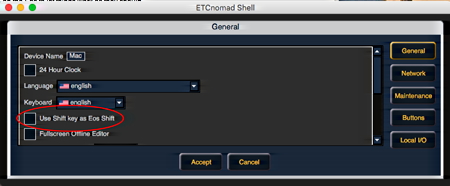
Eventually I realised that there was another difference: using my laptop in the theatre, a desktop machine at home. That wasn’t the cause, but it meant that each was running it’s own version of the Eos software, and (by chance accident) another new, slightly hidden setting in Eos: in the Shell on the Client, go to Settings and you’ll see an option called ‘Use Shift key as Eos shift’. This governs whether your laptop’s shift key behaves as the Eos shift (checked), or the older behaviour where the s- key behaves as Eos shift.
FocusTrack was using s- as shift; on the laptop that option was checked, so things weren’t working properly. On the desktop, that option was unchecked, so things were fine. Uncheck that option on the laptop and all worked fine again.
Eventually, a matching setting will appear in FocusTrack. For now, though, if you’re using FocusTrack to control an Eos, please make sure that ‘Use Shift key as Eos Shift’ is unchecked on the Eos to let things work as they should.
The Death Of The CD
17th September 2015 - Rob
My traditional marker that I’ve reached the end of a show has been burning the final show ‘paperwork’ CD-Rs (or, on really big shows, DVD-Rs) with the FocusTrack data and associated pictures. These discs have provided a real, solid ’thing’ you can hand over to the running crew of a show, nicely packaged in a jewel case - FocusTrack can even print the CD labels and jewel case front and back inserts for you. (Before you ask: it’s been a long time since I’ve actually distributed this ‘paperwork’ on paper).
But if you’ve bought a new computer recently, you’ll know that another technological shift is being put upon us: many of these new computers no longer include any kind of optical disc drive, sacrificed in the cause of reduced thickness and weight. So it feels like a new way is required for distributing that final paperwork.
One obvious approach is to put it all on-line somewhere, in Dropbox or a similar file-sharing service. That works fine, except that a typical musical might have 1500 or more focus pictures, plus maybe another 400 cue pictures, and that quite quickly adds up to quite a chunk of data, especially if you’re trying to download it on a slow connection in a theatre.
It also doesn’t have quite that feeling of ‘finality’ - here’s the information, now you have it, job done.
For the last couple of shows, I’ve been using USB keys instead of CDs or DVDs. It works fine, once you accept that it’s a little more expensive than a blank CD even when you hunt down the cheapest USB keys you can find. Plus one other caution: CDs can’t be changed, so they’re quite good as a permnent archive, one you can always get back to even if you mess up the version you’d copied onto your computer. USB keys can be changed, so (as ever) keep a backup!
What I haven’t found is any nice packaging, analogous to the CD case, for these. Without packaging there isn’t really any elegant way of labelling these devices.
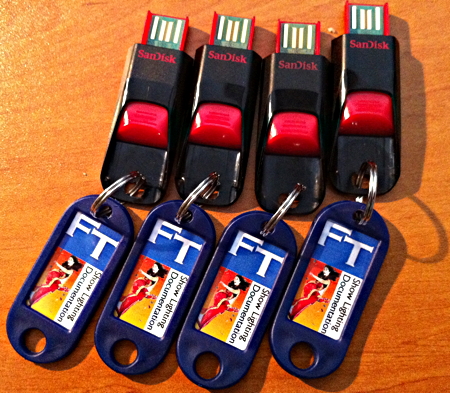
On Bend It Like Beckham I had an idea, and a quick trip to the nearest corner shop provided the tools: key ring tags. A little messing around then produced what I think are quite neat little labels, and this is how the final show paperwork was distributed.
These new labels haven’t made it in as a FocusTrack feature yet, but maybe soon...
New Version Available Now
7th September 2015 - Rob
There’s a new version of FocusTrack available now: 2.368. You can find the download links here.
This version is mainly about keeping up with new console software releases.
For Eos users, it makes FocusTrack’s console control functionality work with Eos v2.3 and later.
For grandMA2 users, it fixes some import issues that had appeared with recent v3 gMA2 software releases.
As usual, there are a host of other little bug fixes and additions. You can find the full list of changes here.
FocusTrack Assistant
5th March 2015 - Rob
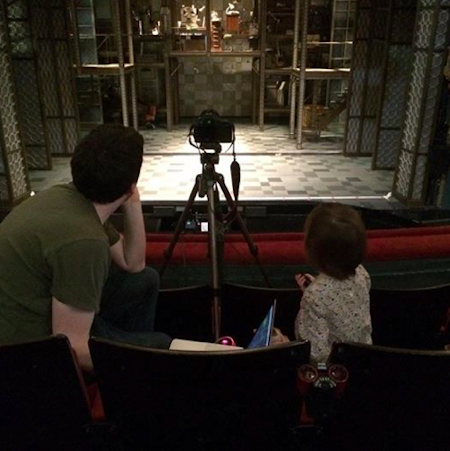
I had a helper when taking the focus photos for Beautiful in London last week, my four (and a half!) year old daughter Emily.
Since around our house FocusTrack is also known as our kids’ ‘college fund track’, this was strangely appropriate! And she had a great time.
Thanks for supporting collegefundtrack...
Beautiful, London »
PowerTrack In Action - And In The Press
7th December 2014 - Rob
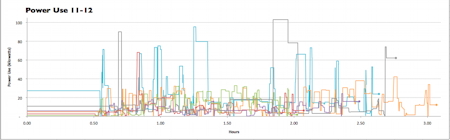
FocusTrack’s PowerTrack function has been in the software for a few years now. The function takes all of the data FocusTrack can collect - the wattage of each fixture in the rig, the level each light comes on to in each cue, the time each cue is on stage for - and uses that to calculate both the moment-by-moment power consumption, the peak load during the show, and the overall power consumption of the show.
Being calculations, these are not and can not be ‘perfect’ results, but they will certainly be very much in the right ballpark, and so a useful guide as to the amount of power a show’s lighting actually consumes.
This is particularly useful as attempts are made to make stage lighting the scapegoat or villain when it comes to power usage by the ‘frivolous’ world of entertainment.
The most comprehensive user of PowerTrack so for has been a study carried out by Katie Oman, at the time of the theatre consultants Fisher Dachs, for the Seattle Rep. The company was curious as to how much power stage lighting was actually using - not the total load of a rig, but what actually got used. This is important when specifying a new building as bigger mains supplies cost more money; this is always an area where new theatres and their consultants have traditionally just had to make an (educated!) guess. The Rep was also curious as to whether switching to LED lighting fixtures would be a worthwhile investment - whether the power savings would cover the extra cost of these new fixtures.
The study took in an entire season of shows. The graph above, one colour per production showing load (y-axis) against time during a performance (x-axis), makes fascinating reading.
At even just a glance it’s clear that the difference between shows is enormous. The lowest line is for the play Red - which, having been involved in a production of the play, I know will never be a ‘bright’ show. It’s also interesting how, if you know the show, you can follow its progress from scene to scene by following the power graph. And how the bright curtain call state is consistent from show to show!
The highest lines all turn out to be shows using cycloramas, lit with tungsten fixtures, often in dark colours. If you were going to switch to lower-power LED fixtures, it feels like the cyc lights would be a good place to start.
Katie’s study was first published in the Protocol journal earlier in the year. It has just been re-printed in the current issue of Lighting & Sound America magazine - you can find that issue online here, though you might have to register to be able to read it.
It is well worth a read. I don’t want to give away the details, though many of the results are surprising - and suffice to say that stage lighting is not, in fact, the villain when it comes to the entertainment industry’s overall power consumption.
Read the article in L&SA »
PowerTrack »
Just Sayin’....
15th November 2014 - Rob
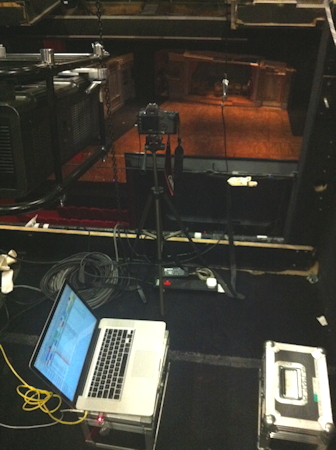
Billy Elliot Holland focus plotting today.
Entire show - conventionals and movers - focus plotted in 3.5 hours. Started taking pictures at 8.25am. Finished at 11.35am. 1653 shots in 3hrs25mins, which is 8shots/min or one shot every 7.5 seconds. And that was including the sixteen changes of scenery on-stage.
High speed focus plotting. That’s the FocusTrack way. Just saying...
A Little Bit of Lighting History
2nd October 2014 - Rob
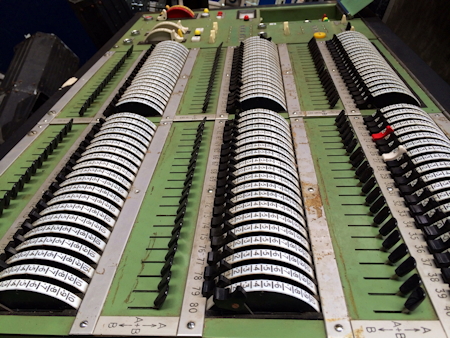
So... I’ve got caught up in a little history project. It’s called the Backstage Heritage Collection.
I’ve always been interested in the history of the technology we use. The most obvious manifestation of this is the Classic Gear column that I write for Lighting&Sound International magazine each month. But it goes deeper than that. It will not surprise you at all to learn that I’m particularly interested in lighting consoles and how they’ve evolved over time - and in particular how today’s consoles, with the near-infinite processing power and memory they have, sometimes have lost useful facilities that earlier control systems had.
All of these worlds collided earlier in the year. I was involved in a mass of email discussions amongst a host of former Strand engineers, the team who’d designed and built the company’s memory consoles from the late 1960s, MMS and, in particular, the remarkable Lightboard (or the “Total Control System” as it was known internally) created for the National Theatre - a product that’s been a bit of an obsession of mine for a long time. Martin Moore, Strand’s head engineer from the period, was asking the group questions about the company’s history, ad the answers were fascinating. At the same time I was talking to Jim Laws, the closest thing we have in this country to an official lighting historian, about various items in his vast collection of historic lighting equipment (if you’ve never been to visit, you should!) Then an email appeared from Jason Williams.
Jason started collecting memory lighting consoles more than a decade ago, with the intention of forming a National Exhibition of Entertainment Technologly - NEET. He showed bits of the collection at PLASA a few times in around 2005/2006, but ultimately he couldn’t gather the support he needed. The collection stayed in storage until this year, when Jason decided he didn’t want to be its guardian any more. But what was to happen to it?
Many conversations ensued, followed by a group lunch hosted by Jim Laws (FocusTrack bought lunch - so in fact all you FocusTrack users are indirectly part of this, too!). Out of that, the idea of the Backstage Heritage Collection was born.
In an ideal world, we’d be opening a museum - a real place where people could come and play with real items, lanterns and lighting desks and any other piece of backstage technology we could gather. But I think we all accept that in the real world that’s probably an unobtainable goal.
Instead the plan is to create a ‘virtual’ museum: for any object we find, to document it thoroughly, gathering together really good pictures of the item as it is now with archive material - brochures, design documents and the like - and memories we can gather from the people who designed the product and used the product. Even if you have historic products you want to keep, Backstage Heritage would love to have them on this website, so it becomes a collection of collections.
Beyond that, it’s to create a distributed museum: to find people willing to give items a home. That might be a rental company looking for an interesting foyer display, or a lighting manufacturer looking to showcase their history, or a drama college looking to study how lighting has evolved over the years, or even a theatre that wants to display some of their history - except they threw their own version of that history in a skip years ago. Think of it as a lonely lights dating agency, or a lighting lending library.
The first set of items, some of the NEET collection, has already found a home - it’s at the rental company White Light in south London. There you can now go see everything from the 1971 Strand IDM memory control from the New London theatre to some big Avo, Celco, Thorn and Zero88 rock desks to a Berkey console to Strand’s later Duet, M24, LightboardM, Gemini and Galaxy. Apparently they’ve attracted a lot of attention in the few short weeks they’ve been there. Some Backstage Heritage items, the famous ‘sawn in half’ spotlights Strand had at their King Street theatre and which you’ve probably seen pictures of in lighting text books, will be on show at the PLASA Show in London next week, helping Strand mark their centenary.
PLASA will also mark the official introduction of Backstage Heritage to the world, at mid-day on the opening Sunday (October 5th) on the Theatres Trust TheatresStage, stand R40. If you’re going to be there on that day, it would be lovely to see you there. Particularly if you have a stash of really interesting historic lights or control consoles hidden away in a theatre that you’ve been wondering what to do with...
(As a follow up, I’ll be part of a panel on the past, present and future of lighting control later that afternoon along with a bunch of really interesting people - Richard Pilbrow, Robert Bell, Jim Laws and Neil Austin; it should make for an interesting discussion!)
Backstage Heritage Collection »
Congratulations, Tony Nominees
29th April 2014 - Rob
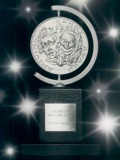
Congratulations to Paule Constable, Jane Cox, Natasha Katz, Japhy Weideman, Kevin Adams, Chris Akerlind, Howell Binkley and Don Holder - this year’s best lighting design Tony Award nominees in New York.
At least two of the nominated shows (Kevin Adams’ Hedwig and the Angry Inch and Don Holder’s The Bridges of Madison County) are FocusTrack users, with FocusTrack also in use on a number of other Broadway shows, including the revival of Cabaret, Rodgers and Hammerstein’s Cinderella and one of my favourite ever musicals, Once.
Full list of nominees »
For Those Who Are Paranoid And/Or Really Care About Their Data
14th February 2014 - Rob
It’s alarming the extent to which we all now rely on the data stored on our computers - and more alarming how little thought we give to this until something goes wrong.
Particularly since things do go wrong - given how fragile a traditional hard drive now is (a fast-spinning disc with a tiny read/write head moving across it, floating just above it - and now often in a laptop that is being moved or jostled around) it’s actually surprising that things don’t go wrong more often. (Newer solid state hard drives - SSDs - remove some of the risks, but they can fail in new and interesting ways).
If you rely on your data, whether for work or just because all the photos of your kids from age 0 on up are now digital, you need to thing about a backup strategy.
That sounds very grand - but it has to be a strategy rather than just ‘backing up every now and again’ because once you set it up, it has to happen automatically and reliably. If it doesn’t work like that, trust me, you’ll just never do it.
You also have to think carefully about what you’re trying to protect yourself from. Data loss, obviously - so, simple, back up your computer to some kind of hard drive at home in case it gets stolen or suffers under a coffee deluge. And don’t forget that data loss includes files you’ve deleted or changed accidentally.
Then consider happens if that hard drive fails? What happens if your house gets flooded or burgled and the computer and hard drive are both lost. Then you might wish you’d backed up to another hard drive stored somewhere else, or even to an on-line service that keeps all of your data ‘in the cloud’, safely away from what seems to be an ever-rising tide of water here in the UK at the moment.
And the best strategy might be a combination of all of the above - something like the Mac’s built-in Time Machine backing up to a dual-drive RAID array at home (so you’re data is automatically mirrored to two physical hard drives, protecting you from drive failure - and with this happening via a local connection it will be fast) coupled with the kind of service offered by Crashplan or Backblaze that back up your data online automatically whenever they can - so it’s away from any physical location, can be recovered from any physical location, and will happen even if you’re not at home that often, as so many of us aren’t.
The trouble is, once you start looking at this, it’s easy to get completely carried away. If you’re hading in that direction I can heartily recommend the report produced by the people at Backblaze analysing the reliability over time of different brands of hard drive in their backup fleet. It makes for some great bed-time reading...
Backblaze hard drive report »
Now With WYSIWYG Import...
26th January 2014 - Rob
So, a WYSIWYG user started using FocusTrack. Quite reasonably, he asked whether it was possible to import data from WYG in the same way it is possible to import data from Lightwright.
It wasn’t. But, after a little bit of work, it now is.
You’ll find two new buttons in the RigTrack Import screen. In WYG you need to go to the Data view and go File > Export to create an Excel file of WYG data. Then in RigTrack press WYSIWYG Full and chose the Excel file; the information will be sucked into RigTrack. If you want more control, WYSIWYG Merge lets you choose which fields get imported and which RigTrack fields they get mapped to.
If you use the Spot and Channel fields in WYG to differentiate between moving lights and conventional lights, RigTrack will do the same thing; if you have FocusTrack set to grandMA import, it will tag moving lights with the ‘fixture’ identifier so that they then correctly match any information you import from the console.
Thanks, Gonzalo, for encouraging us to do this. It’s in FocusTrack 2.356, available to download now.
Remember, It’s Called Show BUSINESS...
26th January 2014 - Rob
Interesting infographic for anyone interested in the business side as well as the art side of showbiz:
The Cost Of Shows On Broadway And In London »
30 Years Today
24th January 2014 - Rob

If you’re not an Apple fan or a full-on computer nerd, you might not have realised that today is the 30th anniversary of the launch of the original Apple Macintosh computer.
It’s hard to remember now what a revolution this was: the Mac was nothing like the standard computers of the time, which ran text-based operating systems like DOS and only responded to arcane typed commands. It wasn’t even really like the experimental machine that provided the inspiration for it, the Xerox Alto, since it introduced concepts like movable, resizable windows that Alto didn’t have. The radical, innovative software was wrapped up in an equally, radical case, small enough to pick up and carry around and featuring the then-new 3.5” floppy drive.
I’d been fascinated by the predecessor to the Mac, Apple’s Lisa, ever since reading one of the most in-depth reviews of a product I’ve ever seen in an issue of Personal Computer World magazine. What they were describing was such a radically different way of dealing with a computer from anything I was used to - yet it just seem so... obvious. That, in part, has always been a defining feature of Apple’s genius - that something radically new and different just immediately feels obvious and right. That’s probably also why my three year old has been merrily using an iPad since before she could walk.
It was a while before I actually got my hands on a Mac, but the experience was revelatory. Turn the Mac on and it played a friendly beep then launched straight into a friendly, intuitive graphical interface that just encouraged you to play with it. Once you tried it, it was hard to go back to anything else - it just felt so right, so ‘human’, compared to everything else. Not everyone knows this, but I did a ‘proper’ three year degree in computer science before launching into the world of theatre, using all sorts of serious hardware - but really all I ever wanted was a Mac.
I got one, eventually. A Mac Classic II, the early-90s successor to the original Mac using pretty much the same case design. Since this was the days before laptops were commonplace/affordable, I toured this around the country for two years - it fitted very nicely in the boot of the car. It sits on a shelf in my office to this day. Maybe today’s the day to turn it on, to let it celebrate its anniversary.
I use Macs to this day; they just make sense, in a way Windows machines don’t, and are reliable and long-lived workhorses, in a way Windows machines aren’t. They also provide all manner of enabling tools built in - that FocusTrack can control your lighting console on a Mac but not on a PC is entirely down to this generosity of spirit of Apple.
Apple, unsurprisingly, have made a great tribute to the Mac, here »
And one of the original Mac engineers, Andy Hertzfeld, has long had a great website that collects together the ‘war stories’ of the team that brought the machine to life (all the more remarkable when you consider the limitations of the hardware). Sidenote: the signatures of those team members are moulded into the inside of the case of the original Mac. The website is well worth a look, here ».
Plus, just for fun, repair site iFixit have done one of their famous tear-downs on the original Mac, here »
In Memorium
2nd January 2014 - Rob
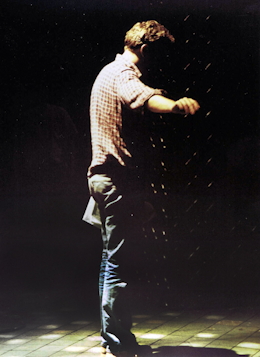
Nothing to do with FocusTrack, but just to note the passing of my friend and - though he’d never have used the word - mentor, Kevin Fitz-Simons.
Kevin was the lighting designer when I joined the National Youth Theatre way back when, and put up with a kid who thought he knew more than he actually did with good grace, good humour and a hefty dose of sarcasm. We got on, worked together on a lot of shows when I was at the NYT; after that he gave me my first real theatre job, touring with the English Shakespeare Company, which saw us travel the world together. Without all of that, I probably wouldn’t be doing what I do now (so I guess, indirectly, it is something to do with FocusTrack).
Though latterly he worked at AC Lighting, having realised that meant he got to go home and see his family on at least most nights, he was a brilliant touring electrician and a really brilliant lighting designer. Murder in the Cathedral, which he lit for the NYT in Edinburgh and then Moscow, remains one of the most beautiful shows I’ve ever seen.
He was just fifty-three when he died on new year’s eve, far too young by any measure, far far too young when you have a wife and children.
I’ve written more about him here, and you can also find more here and here.
I will miss him.
And Today!
1st January 2014 - Rob
Hey... and now it’s the new year!
Happy New Year!
Today!
25th December 2013 - Rob
Hey... it’s Christmas!
Hope you’re having a great day wherever you are, whatever you’re doing.
See you in the New Year!
Another New Version
22nd November 2013 - Rob
There’s a new version of FocusTrack - 2.350 - available for download now.
This is another ‘catchup’ release, containing lots of little fixes and tidy ups based on my use of FocusTrack on a variety of shows (including the new US tour of Evita and the transfer of Sunshine Boys to LA) plus bugs that have been reported by other people. The list of changes, which you can find here, is quite long...
(Those same shows are also the reason that this page has been a little quiet of late; sorry about that. More soon!)
A New Version
26th March 2013 - Rob
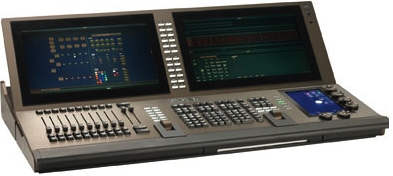
There’s a new version of FocusTrack - 2.338 - available for download now.
This is one of those ‘catchup’ release that rolls in lots of new little bits and pieces that people have been asking for. You can find the full details of what’s new here, but my favourites:
- New summary views in FocusTrack, giving a quick overview of which lights are used in which presets, and which presets are used in which scenes.
- It can import Eos cue timing data from the Eos log file, making it much easier to set up cue trigger time information for use by PowerTrack.
- FogTrack: it’s like PowerTrack, but for figuring out how much haze or smoke you put on stage during a performance. Useful for dealing with American Equity. Full details of how it works to follow shortly.
- It’ll import data from ETC’s rather elegant new Eos Ti console (which really just means we fixed the error checking to so it didn’t reject ‘Ti’ as a valid Eos console type!) I was lucky enough to get to play with this on a show a few weeks ago; more thoughts to follow.
- And there’s a small but useful speed bump to Eos imports. This will follow for grandMA2 imports soon.
Enjoy!
PowerTrack
4th March 2013 - Rob
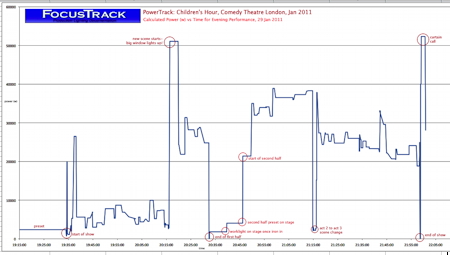
PowerTrack, a feature that’s been in FocusTrack for at least a couple of years, seems to have caught everyone’s imagination just recently - suddenly there seem to be a lot of people curious as to what it does and how it might help them.
This is perhaps because the new generation of LED lighting fixtures suddenly seem usable in a theatre context - ie. their fade quality is good enough, their light quality and output is good enough and, in the case of profile spots, there’s now an option that looks like the traditional Source Four and is compatible with existing Source Four accessories (that would, of course, be the Source Four LED). But they are expensive - and so people are wondering whether that investment is worthwhile.
‘Worthwhile’ is, of course, a difficult thing to judge. A colour-changing profile front-of-house makes for a much more flexible lighting instrument than one you have to climb the ladder to change the gel in. And anything that uses less power should be good from a ‘green’ point of view. Sadly, of course, in the real world things often come down to money, so the question is: over the life of an LED light, will it save enough power compared to a traditional tungsten light to cover the (often quite dramatic) extra cost of the fixture itself.
To make an informed decision about that, you need data - how much power your lighting is actually using in the context of real shows. That data is often quite hard to come by - sometimes you can meter the dimmers, sometimes you can’t, sometimes you sort of can - getting a reading that includes other power used in the building. If you can’t just meter the lighting it’s quite hard to figure out what’s actually being used by lighting. Even if you can meter the lighting you really need some way of tying that back to specific moments in the show so you can see what your biggest energy users are.
PowerTrack gives you that kind of information. The graph above shows the power used during one performance of The Children’s Hour at the Comedy Theatre in London a few years ago. This is the show we use to demonstrate PowerTrack because we also have real, measured figures for the rear-of-house power of that show, which makes for an interesting comparison.
I’ll be expanding more on this, and on another project that has used PowerTrack to look at the power usage across an entire season of plays, soon.
For now if you’re interested, please get in touch to find out more - or come down to the ‘Green My Production’ event that Julie’s Bicycle are holding at White Light’s base in Wimbledon, south-west London, on March 27th. We’ll be there, hopefully see you then.
Social Event Of The Day
16th January 2013 - Rob
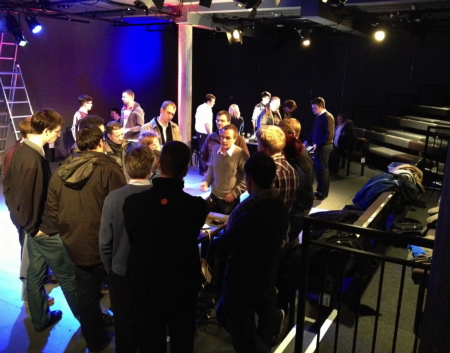
Last night, we were at the Green Lighting Social at London’s Bush Theatre - our first visit to the company in their new home, converted from the old Shepherds Bush library to give a quirkily interesting performance space.
Organised by Robin Barton from the Royal Opera House, this is more informal get together than trade show, and all the more fun for it: a bunch of people showing new products, and a bunch of people looking at them, and a lot of conversation all round. Great fun.
We were there talking about PowerTrack, one of those features in FocusTrack that most people probably don’t even realise is there. Since FocusTrack already knows about your rig (that channel 1 is a 1000W Fresnel) and about all of the cues in your show (that cue 1 has channel 1 on at 50%), we can calculate that cue 1 is therefore using about 500W of power. But we can also extend that: if you teach FocusTrack that cue 1 comes up at 7pm and stays on stage until 7.30pm, we can also calculate that the total consumption of that cue is 0.25kWh (since it’s 1/2kW for 1/2 an hour).
PowerTrack extends those calculations through your entire rig and entire show, so it can tell you the power consumption of a particular cue or of the entire show. As a bonus it can tell you the peak load during the show and which cue causes that load. If you’re planning a tour, that means you can specify the actual mains feed you need in each venue, rather than just making a guess based on some fraction of your total connected load.
Because it’s a calculation it will not be as ‘precise’ as metering your mains, of course. But metering the mains is hard to do in some venues, and the measurements will often include things that aren’t actually related to the performance lighting (ice cream fridges and emergency exist lighting being two common examples). The production we were showing was Children’s Hour at the Comedy Theatre a couple of years ago. Co-incidentally, while we were using FocusTrack on the show, Mark White was measuring the power use for the theatre’s owner, ATG. We have his results, and they do confirm that FocusTrack’s calculated results and real-world measured results are very similar.
It was rewarding to find PowerTrack causing quite a lot of interest at the Social, both from those who work to ‘green’ theatre (including Julie’s Bicycle and the Theatres Trust) and those actually working in theatre - including the visitors who’d come furthest to attend event, coming in from Indiana in the USA. I think they were here for other reasons rather than just to attend the Social, but it makes for a better story if we say they were just there to come to Shepherds Bush for the evening!
If you’re using FocusTrack, you already have PowerTrack - get to it from the Main Menu screen in RigTrack. To do power calculations you have to teach FocusTrack how long each cue is on stage for. To do this, go to the Cue List Main Menu, go to Power Totals then press Learn Cue Timing. Then every time you hit go on your lighting desk, press return on your computer. FocusTrack will record the time each cue was triggered. Once you’ve done that, go to PowerTrack inside RigTrack and press Calculate PowerTrack.
What can you do with the resulting information? That’s up to you, of course. One theatre is currently carrying out an in-depth study of their power usage as part of planning a new building; we’ve been sworn to secrecy about this while the work is in progress, but hopefully we can share more once the results are known.
We were slightly distinguished last night by being the only table not to feature some form of LED lighting! Surrounding us were products from ETC, Strand-Selecon-Philips-Vari-Lite (does one company really need so many names?), GDS, Intelligent LED Solutions, as well as an assortment of products being shown by White Light and Stage Electrics. But showing a definite trend, one other exhibit was a power monitoring system using that does actually measure the current drawn by the dimmers and records that over time into a database, with the ability to also listen to MIDI to recognise when cues are triggered. This re-inforced one of the main topics of conversation during the evening: that talking ‘green’ is all very well, but that the talk really needs to be backed up by hard data, which is what has often been missing up to now. Hopefully PowerTrack and the other related tools will give us the means to compile that data.
You can read more about the Social on Tim Atkinson’s Entertaining Sustainability website, here. There’s another Social planned for later in the year, which we’re already looking forward to.
There’s more information about PowerTrack here.
Happy New Year!
1st January 2013 - Rob
Welcome to 2013. Hope it’s a good one for you...
A Big (Wet) Mass Of Cable
21st November 2012 - Rob
Somewhere between me posting this and you reading this is a mass of cable that looks like this.
It’s a miracle that any of this internet thing ever actually works! And, in the case of these pictures from New York, it doesn’t any more.
Apologies For The Silence!
8th October 2012 - Rob
Apologies for the radio silence, but we’ve been a little busy working on a new show (Finding Neverland in Leicester), supporting a number of new FocusTrack users, and working on a lot of things behind the scenes on FocusTrack and SpotTrack. There’s a new version of FocusTrack out now that you should start using as soon as you can - it fixes a couple of quirky import issues with Eos, and improves the speed and reliability of console control via onPC on Parallels or Fusion with grandMA1. As always, you can find more details of the changes here.
It also - we weren’t going to talk about this until it was done, but what the hell - starts adding support for the grandMA2, which is why you’ll notice the big step up in version number. This work is not finished and is very much in ‘beta’ phase; because of that it won’t work by default on the currently released version. However, if you want to help beta test it just get in touch and we can tell you what you need to know...
A Life On The Road
5th September 2012 - Rob

It’s hard to capture the craziness, tedium, fun, glorious randomness of a life in showbiz or a life on the road in words.
It’s done incredibly well here - well worth a read whether you’re a particular fan of Coldplay or not.
If the BBC Olympic Music Has Dug Into Your Brain As Much As It Has Into Mine Over The Last Two Weeks...
10th August 2012 - Rob
... then you might find this interesting....
How Long?
9th August 2012 - Rob
A good question yesterday from a new FocusTrack user: how long should they allow to photograph all of the focuses in their show?
While there’s no way of giving a definitive answer to this, since there are lots of possible variables, what we’ve learn from experience is that if you’re using FocusTrack to control the console and possibly also the camera (see here for how to do this), you can average about five pictures per minute over a four hour session. That average was achieved recently on both Evita and Nice Work If You Can Get It in New York, which we think are currently tied for the fastest photo-shoot using FocusTrack; in both cases it included both the time spent moving scenery between scenes and a morning coffee break.
That means that if you have 1000 lamp-focuses in your show (ie. 100 lights in 10 focuses each; this is the ‘Total:’ number you see in the middle of FocusTrack’s Main Menu screen), you could expect to get them all photographed in about 200 minutes, or about three and a half hours.
Once you get into a run of pictures, your actual speed will be faster than that - maybe a picture every 7-8 seconds, or about 7 pictures a minute, possibly even faster for conventional lights in RIgTrack where you’re not having to wait for a light to move to a new position each time.
The things that bring the average speed down are:
- Getting in and turning everything on to start with. To help with this make sure everyone knows what you’ll need (eg, ethernet and power at the circle front or whatever position you’re using to shoot from), and make sure you have everything ready to go (ie. tripod, the right lens, the right cables, camera battery charged etc). It’s always worth making sure your laptop and FocusTrack can talk to the console properly the day before a photo session, just to be sure. Also, scope out the best location for taking pictures from in advance - part of the reason you can get things done so quickly with FocusTrack is that it lets you just get on rather than having to stop and think between each picture, and that should start the moment you walk in for a focus photo session.
- Setting up scenery then moving it around - things go much quicker with single-set shows! To help with this, try to arrange the order you take pictures to minimise the number of times you have to change the set-up on stage - ie. if the same set is used in act 1 then in act 2, sort the records in FocusTrack so that you’re taking all of the pictures relating to that set in one go. FocusTrack can help work out which focuses relate to which scenery if you add information about scenic setups to the FocusTrack Cue List; more about that here.
- How fast your moving lights are - ie. a VL6 gets to the next position much faster than an ETC Revolution. Remember to wait not just for the light to get into position but for all of the other settings - zoom, focus, gobo, frost - to finish adjusting themselves before taking the picture.
- If you’re having a person stand in each light for each photo - a very useful thing to do - how long it takes them to move to the next position. If you want to minimise the amount of time they spend moving between lights, try sorting by Pan/Tilt or by Tilt/Pan (under Special Sorting) before starting a photo session; this tries to arrange the lights in pan/tilt order, hopefully minimising the amount of movement between pictures.
- Unexpected things, like lights breaking. If a light doesn’t work, it’s usually better to skip it and move on than to hold everything up trying to fix it. If you’re using FocusTrack’s Photo Loop, it checks off lamp-focuses as you photograph them, making it easy to find things you skipped over later on.
- Coffee breaks; make sure everyone’s back promptly and that you’re ready to go when they are.
- If you’re using FocusTrack to trigger your camera: some cameras try to upload each picture to your computer as it is taken. This can slow things down as you have to wait for that process to complete before taking the next picture. I turn that option off if possible; time in the theatre for a focus photo shoot is precious, but there will always be time later to upload images.
- And, as with everything, practice makes perfect: allow a bit more time if you’re doing this for the first time.
All that done, you should be able to speed through a focus session much more efficiently when using FocusTrack. In fact, one of the nicest compliments we’ve ever received came at the end of the Evita focus plot session, where we ended up being given just three hours to focus plot quite a complex show and we got it done in time. The production carpenter said something like, “I’m impressed, that’s the most organised I’ve ever seen that; normally it just drags on forever!” Very proud!
There’s more about the whole process of importing a show then photographing focuses here.
Beware The Cloud
8th August 2012 - Rob
If you have accounts with Apple, Amazon or Google, if you use iCloud or another cloud service, if you have any kind of software that allows remote deletion of your electronic devices, indeed pretty much if you use any computer service that involves passwords, it would be well worth your while taking a few minutes to read this article, about Wired journalist Mat Honan and how his ‘digital life’ was destroyed in just a few minutes by hackers who just seemed to be out to cause mischief.
It will make you scared. It will make you paranoid. Hopefully it will make you take a few minutes to think about how things are set up in your digital life, and perhaps take steps to make it more secure. It might also make you consider the risks posed by decisions made by big companies that should have the time and talent to know better - in this case the biggest security flaw seemed to be that Apple will accept the last four digits of a credit card number as proof of identity, while Amazon displays those same last four digits to show which credit card you’re using (or, at least, they did: both seem to be changing the way they deal with this today).
In particular, it should serve as yet another reminder that backups are crucial. They are so crucial that they deserve to have a lot of care and thought put into them. I’ve walked so many people through the considerations of a good backup scheme that I’m about to write it down and share it with everyone. In the meantime, Mat’s article provides a timely reminder of not only why backups are crucial, but also that online services such as iCloud, which promise to look after our data for us, should not be our only backup, since ultimately we have no control over them.
You have been warned...
Another New SpotTrack Version Online Now
1st August 2012 - Rob
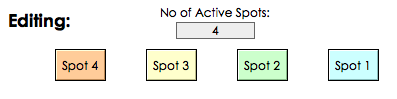
If you’re familiar with SpotTrack, our tool for making followspot cuesheets, you might recognise that there’s something wrong with the screengrab above.
Or maybe let’s not say ‘wrong’, rather just ‘different‘. Or even ‘new and improved!’
Until now, SpotTrack has always presented spots in the order 1-2-3-4.
When the new US tour of Book of Mormon became the third show to ask to change that, it became clear it was probably time to let people arrange their spots however they want. The new version of SpotTrack, v1.36, released today, lets you do just that.
Though English speakers usually read and number things left to right, theatre lighting - for reasons lost in the mysts of time (and I’m always happy to hear suggestions as to why!) has traditionally numbered lights in the other direction. Or, with followspots, there might be a different scheme altogether - maybe spots 1 and 2 in a centre booth, spots 3 and 4 on side stage positions.
Regardless of why, it makes sense to let the order you see things on screen and on paper match the physical layout of the spots in the building. This helps with what I always think of as ‘Leone’s Rule’, after the lovely Broadway lighting associate Vivien Leone, who is very clear that lighting paperwork should involve as little ‘mental re-mapping’ as possible (- the example she usually quotes is about not printing one page landscape, the next portrait to avoid having to constantly rotate sheets of paper. I think of it as minimising the differences between what you see and what the rig is; you’ll now find people increasingly number their lighting rigs left-to-right so that the order of channels on screen matches the order of channels in the rig, for example).

In the new version of SpotTrack, if you go to the ‘About SpotTrack’ screen, you’ll now find that you can customise what each spot is called (so you could reverse it to 4-3-2-1, or move it to 1-3-4-2, or even make it 6-7-8-9 if you wanted), and also re-arrange the keyboard shortcuts to suit the new spot layout.
Give it a go. It’s possible we’ve missed some quirk of operation in making this work - if so, do please let us know.
Tonight’s Little Show In London
27th July 2012 - Rob
Good job, team Olympic Lighting. Good job.
(And good job everyone else involved, too! It was great.)
New SpotTrack Version Online Now
11th July 2012 - Rob
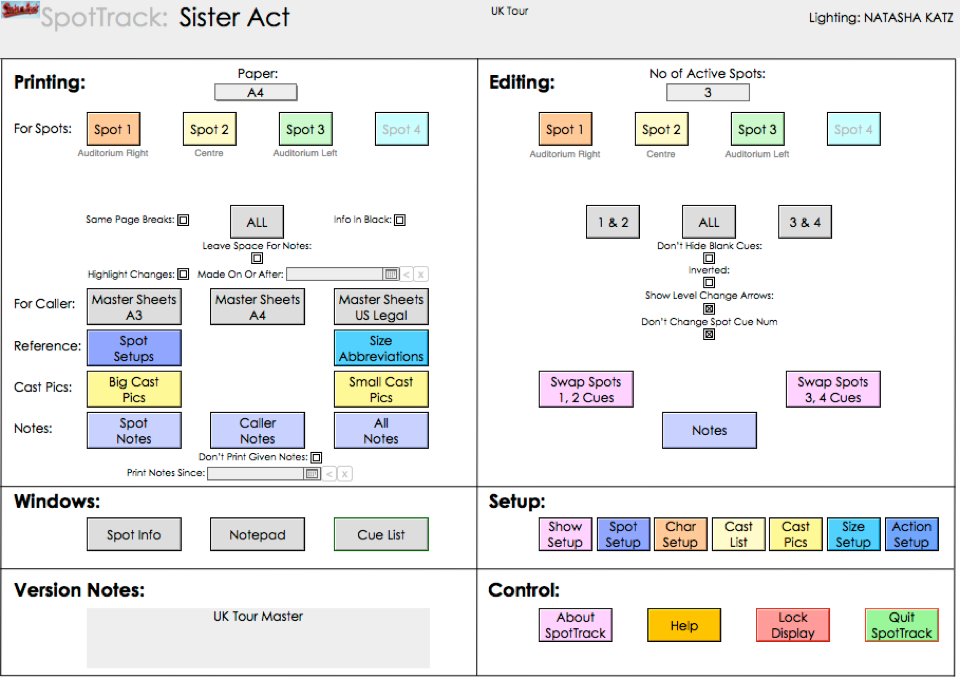
There’s a new version of SpotTrack, our followspot cuesheet tool, available for download now from the SpotTrack website.
No major changes; just some bug fixes related to printing that the lovely people on the Sister Act UK tour noticed, and a new US-Legal four-spot master calling sheet that was added during Evita in New York.
As always, it’s worth moving to this version if you are currently using SpotTrack on a show.
And if you’re not, why not give it a go? It’ll run in demo mode to let you play. And if you buy it, you get to choose which of two fine lighting charities it supports.
We Love The Internet Because...
23rd June 2012 - Rob
It brings you to things like this, which sort of defy comprehension:
Levitating Slinky
New Mac Day!
12th June 2012 - Rob
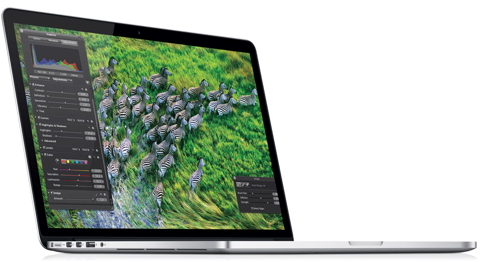
Apple’s World Wide Developer Conference (WWDC) started today. As part of that, they announced a number of new Macs...
As you may or may not have gathered, I’m a Mac fan. I’ve been using their machines since about 1990, through good times, lean times, near bankruptcies, then the company’s recent triumphant revival. This isn’t because I’m a ‘fanboy’, but rather because their machines have always just seemed to work, letting me get on with what I need to do rather than worry about making the computer work properly first. Of course, they sometimes freak out and need care and nurturing, but it feels like I spent a lot less time doing this than others I know who use Windows. FocusTrack also benefits from the great tools that Apple provides as part of their core operating system, which is why things like FocusTrack’s console control and camera triggering are Mac-only.
WWDC is where developers go to learn about Apple’s new technologies in OS X and iOS. But the company also uses the start of the week to announce new hardware...
The one that’s got me drooling is the MacBook Pro with Retina display. On a practical level, I don’t really need a new Mac right now. But I want one of these...
The most obvious highlight is the screen. This follows on from the approach Apple have taken with the iPad 3: it is a massively high resolution display, but rather than doing what everyone else has done with high-res displays (cramming as much information in as possible, with the result that on a physically small screen everything just becomes really tiny), Apple use the extra dots to smooth out everything you see. If it’s like the iPad 3, it will become almost like looking at paper rather than a screen - ‘retina’ supposedly meaning that at normal viewing distance you can’t make out the individual dots on the screen. With the iPad, it was one of those things that you didn’t really appreciate it at first glance - it only became clear when you switched back to an older iPad and realised just how ‘bad’ its display suddenly seemed to be.
To have that on a laptop is hugely intriguing and I can’t wait to try it out. Which will be as soon as the new Mac makes it into my nearest Apple store, and I get out of this weeks’ tech!
There are other interesting things. As expected, the new Mac abandons ‘spinning’ hard drives in favour of solid-state storage (SSD). If you haven’t tried a machine equipped with one of these, you should. The effect is truly stunning, since it stands everything you think you know about computer speed (ie. that more GHz = faster working) on its head. Apple have had this kind of storage in the MacBook Air for a while, and its why that machine can boot up from cold in just a few seconds, wakes from sleep almost instantaneously, and runs applications in a fraction of the time it takes normal laptops to get them going.
The downside is that it’s much more expensive than traditional hard drives, particularly if you need a lot of storage space - which you might if your laptop is your only machine, you want all of your files with you and you don’t want to get into the management of what’s where on external storage devices. It sounds silly, but every single time I’ve ‘off-loaded’ files I haven’t touched for ages onto an external hard drive to free up space on my laptop, I’ve almost immediately needed the file when away from home. Having everything with you is comforting, but you need a lot of space particularly as things like photograph files just get bigger and bigger as we moved to cameras with higher and higher resolutions (and, of course, particularly if you’re taking lots of photographs to document show lighting...)
On-line storage - things like Dropbox - is touted as a solution for this, the files floating in the cloud until you need them. But that model also breaks down slightly when you’re dealing with really massive files (again, like lots and lots of focus photographs) and/or less-than-brilliant internet connections. Especially - and this often gets overlooked - because of the ADSL connections people often have at home. The “A” in ADSL stands for asymmetric - the connections are deliberately designed to upload much more slowly than they download, which can mean getting those big files into the cloud in the first place is a real pain. And that’s even before you get to working deep in a dark theatre where the internet connection is sporadic or even non-existant.
Apple have never been afraid of looking toward the future, and that’s clearly what they’re doing here, though. And the speed advantage is certainly compelling enough to let you just deal with this until internet connectivity gets fast enough to keep up.
They’re doing the same thing by not having any kind of CD/DVD optical drive in the machine - which is what allows it to be so thin. I have slightly mixed feelings about this. My traditional workflow in FocusTrack has been to do all the work, complete the FocusTrack with all of the information and photographs, then to burn that onto a CD (for a small show) or DVD (for a big show) to leave with the crew in the theatre. They’ll probably copy that information back onto their laptop so FocusTrack can run more quickly, but it means that there is a real, physical, undamagable version of FocusTrack sitting in the theatre somewhere that they can always get back to, however badly things go wrong (files deleted by accident, coffee spilt on laptop or whatever). (As a bonus, I have a line of matching DVDs on my shefl at home, the modern-day version of the old shelf full of show binders).
To make that, DVD I use the DVD burner in my MacBook Pro. I don’t use it very often, but I’m glad it’s right there when I do need it. I think I’d miss it in the new MacBook.
On the other hand, just last night someone sent me some show photos on DVD, which I had to sort through and extract to email to someone. I didn’t just want to copy the files to my laptop (it’s a bit full), but the process of viewing them from the DVD was frustratingly slow, and made me want to turn to the future. Except, of course, even if I’d bought my shiny new Mac without a built-in drive, I’d still have been sent the photos on DVD. Which means that if I bought one of these new MacBooks, I’d have to buy the external DVD drive Apple make for it; I guess the Apple-cynic might just say this is Apple’s way of charging you more for a laptop...
I think in the future the answer may be moving to USB memory stick to hold the ‘final’ versions of FocusTrack, with 16Gb sticks now available for less than £10 (for comparison, the Evita FocusTrack is about 3.5Gb, including the FocusTrack data and application, 1427 focus photos and 378 cue photos, these all at medium resolution . It would just be nice to have a way of absolutely locking the stick...
One last omission from the new hardware, which I overlooked at first: there is no physical ethernet connection, the laptop intended to connect wirelessly. For all the hype about wireless, and its convenience, can it really just be me that prefers a physical, wired connection where possible? It is always faster, and always more reliable. Plus there are some things in our world that just don’t work wirelessly - connection from client software to either the Eos or grandMA consoles, to name just two. There will be the inevitable adaptor, this time from Apple’s new Thunderbolt connector to Ethernet, but that’s just another thing to remember to put in the bag...
Apple are still offering speed-bumped versions of their existing MacBook Pros, which still have a real ethernet connection, a real DVD burner and a real hard drive - and are also considerably cheaper. Yet still it’s the new one I want, for all its technological advances but also just because it weighs less... I guess that combination of progress and refinement is why Apple is flying so high today. Plus, as others have pointed out, the new MacBook is clearly a pointer to the future, just as the original MacBook Air was, and all of its features will doubtless became available in more affordable machines as time goes by.
(One more thing: for those of you who spend your time fighting with the noise of fans in lighting equipment, take a look at the MacBook Pro video, particularly the section talking about how Apple have dealt with exactly this issue...)
A New Face At FocusTrack
1st June 2012 - Rob
On the same trip to New York, we finally formalised something that’s been kicking around for ages. You’ll see an ‘official’ announcement about this soon, but I’m pleased to announce that the lovely Kevin Barry will now be FocusTrack’s ‘minder’ in America, particularly in and around Broadway. Though I’m sure we’ll invent a better job title for him before the press release goes out...
This isn’t really new news. Kevin has been using FocusTrack since Mary Poppins in 2006, one of FocusTrack’s first outings. He seemed to quite like it, and has been a great advocate ever since. He’s been using it on the shows he’s worked on as head electrician since (including Billy Elliot - you can see him on a video about the show here - and now Evita). He’s already been supplying support to others who’ve used the show in New York - it’s been great having someone in the right time zone when people have questions or issues.
For those who don’t know him, Kevin is a great person - one of those fantastic ‘can do, nothing is a problem’ people - who looks after some of the biggest shows in New York. He’s also one of those people who likes solving problems. His current pre-occupation is getting the console to trigger FocusTrack so that it can follow along as he runs a show, so FocusTrack’s focus information is automatically showing him the right information for the cue he’s in. I think he’s very close to getting this working, so hopefully more soon...
(If you’ve looked at any of the trade press lately, you may also have seen Kevin gracing the ads for the ETCP programme. He’s very photogenic...)
Broadway Lighting Master Class
23rd May 2012 - Rob
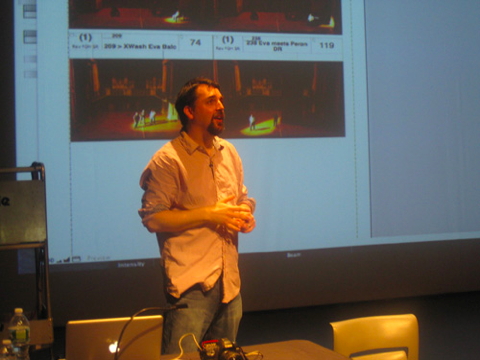
I was very pleased to be given the chance to talk about FocusTrack at the Broadway Lighting Master Class in New York, organised by the lovely people at Live Design magazine. I’ve been going to the BLMC on-and-off for a long time now - since 1999, maybe? It’s always felt like a great couple of days because it concentrates on the ‘art’ of lighting, with the technology taking a definite back seat compared to the various trade shows. Hearing Jules Fisher speak is worth the price of admission alone - it always reminds me why I got into lighting in the first place, and of the power of what we do to affect a show and an audience. The other talks are also interesting, particularly Beverly Emmons and Clifton Taylors’ colour talk - all stuff we sort of know, but rarely get the chance to actually see in action outside of the high-pressure environment of a tech (sidenote: if you haven’t visited Beverly’s Lighting Archive site, you must). I think the talks about the featured show were also great, but since the show was Evita and I was part of the panels alongside lighting designer Neil Austin, I might be a little biased...
Some technology does feature: there is a manufacturer’s showcase during the lunch break, but even that is made more enjoyable by getting given lunch!
Because the venue this year was smaller than in previous years, talks ran simultaneously with the showcase to split people up into smaller groups over lunch. On the first day, Kevin Lee Allen spoke about using VectorWorks. On the second day I ran two sessions walking people through FocusTrack, what it can do and how it can be helpful on shows. I always forget how much easier FocusTrack is to understand when you see it rather than when you read about it. We’re now planning some walk-through videos for this website so that everyone can get a chance to see FocusTrack for themselves even before downloading it - stay tuned for these.
That said, we seem to have piqued people’s interest, judging by the number of downloads of FocusTrack (and also SpotTrack, which I didn’t actually speak about) in the days after the talk. Hopefully everyone is liking what they’re seeing...
(Thanks to Live Design magazine for the photo; see more from the BLMC here)
A New Version
19th May 2012 - Rob
There’s a new version of FocusTrack available for download now - 2.223. It’s available as either an empty download or with our little demo show - extracts from the British tour of Equus - pre-loaded to give you something to experiment with.
This update is mainly bug fixes, of the kind that always happen when I get to use FocusTrack on a show of my own (mainly Evita in New York in this case). Sometimes this is things that annoy me; I’m sure they annoy others too but maybe not enough to complain about. We’ve tidied a few of those up. The show also revealed a few things that have somehow got broken; hopefully those are now fixed too. As always, you can find a list of changes in the ‘About’ screen in FocusTrack, or on the website here.
Welcome!
15th May 2012 - Rob
I’ve come to realise that there are all kinds of bits of information about FocusTrack (and things relating to FocusTrack, like computers or cameras) that people hear from me in person, but which don’t fit into any of the categories on this website - they’re not really news, not really tips, not really information about something FocusTrack can do. Hence ‘Making Tracks’, a repository for all that kind of stuff. You may find some, all or none of it useful...